Bill of quantities from your project in minutes.
Upload floor plans, sections and the technical report. KUKRA derives areas, lengths and counts from the dimensions, builds a bill of quantities by construction stage and writes the calculation under every item — the way you know it from Cenkros. You check, adjust and send it.
Try it for freeTrial account: 3 quotes, 14 days, no card. Uploaded drawings are not stored: they are read into memory and only the result is kept.
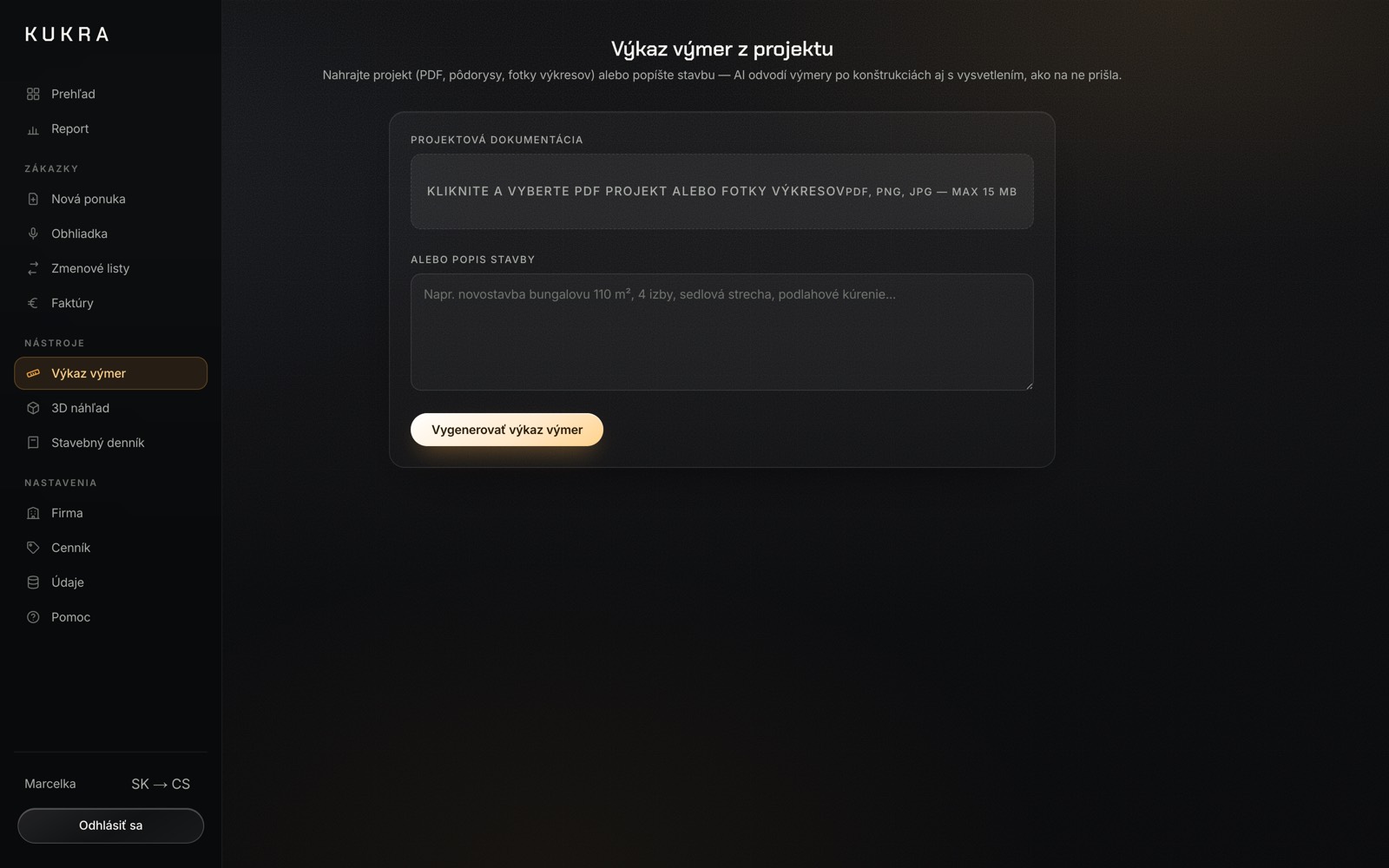
How it works
Upload the project
PDF drawings, photos of drawings, Excel, Word (.docx) or the whole project as one ZIP. AI reads drawings visually, so it sees the dimensions; scanned documents work too. A finished bill of quantities from KROS or Cenkros is read as well — code, description, unit, quantity and, where the export carries it, the measurement breakdown under each item.
AI derives the quantities
From floor plans and storey heights it derives floor, wall and ceiling areas, lengths of perimeters, skirting and services, and counts of windows, doors or sockets. It works through the stages from groundworks to completion. Every wall and partition thickness is a separate item, and every assumption, such as the clear height, is listed for you to check.
Check and export
When you create a quote from the project, under every item sits a line-by-line calculation — one line per room or element, openings deducted as a negative term. The app recalculates it: if the lines do not add up to the quantity, it flags the item and shows what the calculation gives. Edit the calculation and save (without overriding the quantity by hand), and the quantity is recalculated from it. Download the quote as PDF or XLSX; in Excel the calculation lines sit under the item, marked “VV”.
Plainly, what this is and is not. The bill of quantities is derived from drawings, not measured on site. What the documents do not show, such as a wall thickness, is listed as an assumption; the app does not invent a number. Every item shows where its rate came from: your price list, a market rate or an AI estimate, always marked as an estimate. If you upload a finished bill of quantities, its quantities are binding and the app only flags a mismatch with the calculation. Drawings need to be PDF or images; DWG is not read. The output is an indicative draft you check and adjust before sending it to the client — the quote is yours (see the terms).
Who it is for
- Builders who price from the project — instead of measuring and clicking item by item, upload the project and let AI derive the take-off.
- Estimators — a calculation under every item that can be read and corrected, and that the client sees when approving the quote online.
- Firms that receive a bill of quantities from the client — an Excel export from KROS, ÚRS, Cenkros or RTS is read, with the measurement breakdown where the export carries it, and priced with your price book.
KUKRA costs €80 a month or €800 a year; KUKRA s. r. o. is not registered for VAT, so the price is final. Pricing with your price book, the quote, online approval by the client and the invoice are in the same app. Create a trial account yourself — 3 quotes, 14 days, no card. More at kukra.sk/en and in the pricing. Questions: kukra@kukra.sk, +421 910 995 747.