Price quotes and your whole build in one app in minutes, not hours.
KUKRA is your AI construction assistant — it derives a bill of quantities and a ready-made quote from your project, writes the site diary and change orders by voice on site, and finally issues an invoice with QR payment.
One app for a builder's
entire day.
Bill of quantities done for you
Derived straight from your project, priced with your own price book — and it learns your rates.
Site visit → quote by voice
Dictate the job on site, snap a few photos — the quote is ready before you get back in the car.
Change orders ready to sign
No more extra work "on a handshake" — a photo and a few sentences make a priced amendment.
Cost estimate from a photo
Photograph the space, write one sentence — an indicative budget within a minute. Free, no sign-up. Try it →
3D model from a floor plan
Even a multi-storey house with a roof — a rotatable model that sells your quote to the client.
AI material buyer
Compares prices across builders' merchants and prepares a shopping list per store.
Site diary by voice
Two minutes of dictation after the shift — a formal entry with everything it needs.
AI works. You stay in control.
This is what happens after you upload a project: document analysis, quantity takeoff, pricing with your price book and export. The whole process runs automatically.
Illustrative animation of the KUKRA interface. It loops through five processing steps: 01 Upload, 02 Analysis, 03 Items, 04 Pricing, 05 Export. The figures shown are sample data. The same process is described in the text above and in the “How it works” chapter.
Upload your documentation
Bill of quantities, project documentation, PDF, Excel or site photos. KUKRA handles scanned documents too.
PDF · XLSX · PhotosAI analyses the project
The model reads the documents, understands the scope of work and prepares the budget structure. If something's missing, it asks — it doesn't make things up.
Document analysisProcesses every item
It recognises construction items, quantities, units and measurements, and matches them to your price book — even under different names.
Your price book — Excel, CSV or PDFBuilds the quote
Material, labour, margins and a risk review. You adjust everything before sending — KUKRA keeps learning your prices.
Your price book & marginsExport PDF / Excel
A professional document with your logo plus a ready-made e-mail for the client. Send it with one click.
PDF · Excel · E-mailManually: 4–6 hours per quote. With KUKRA: ~4 minutes. You always review the result yourself.
What it looks like in the app
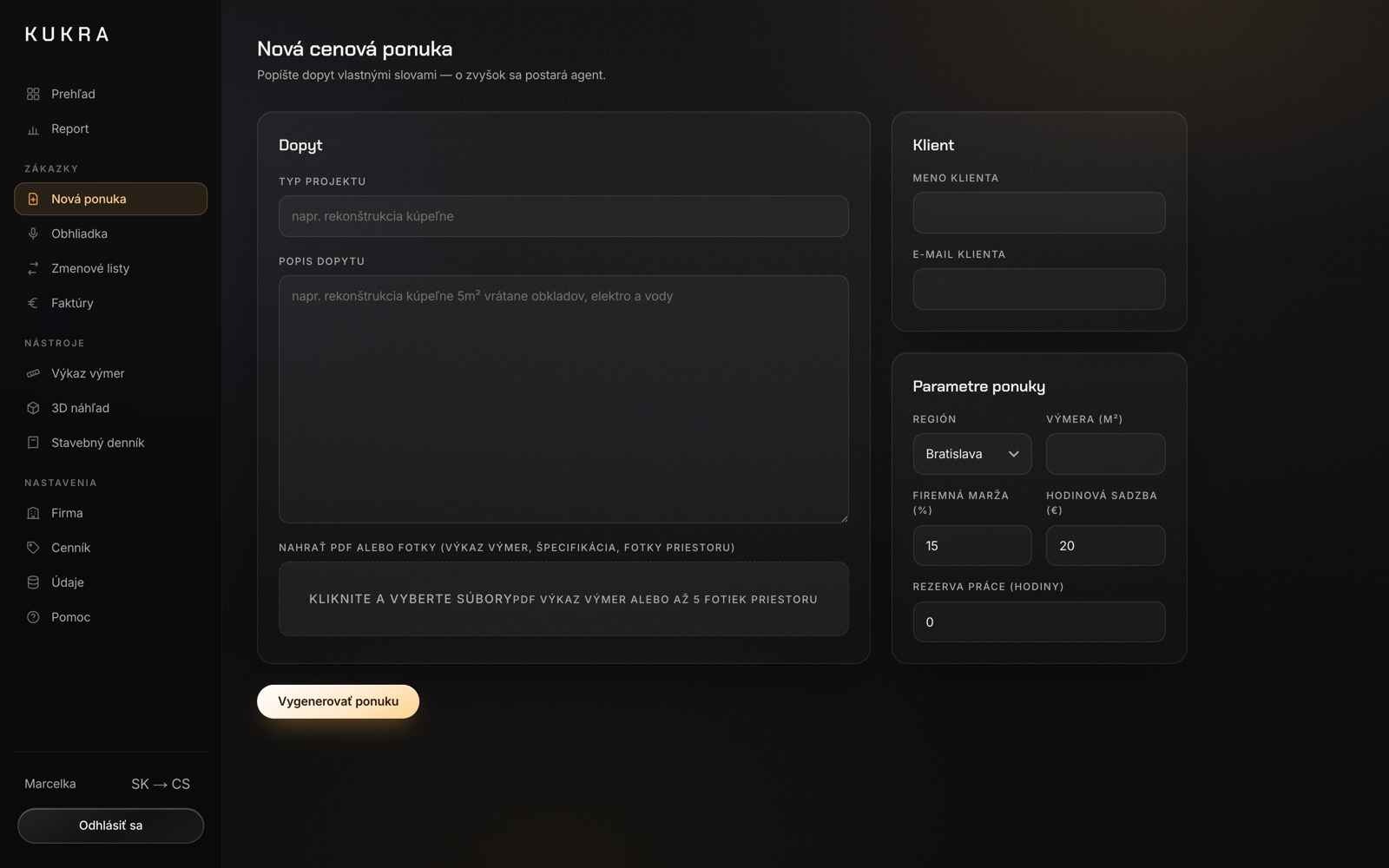
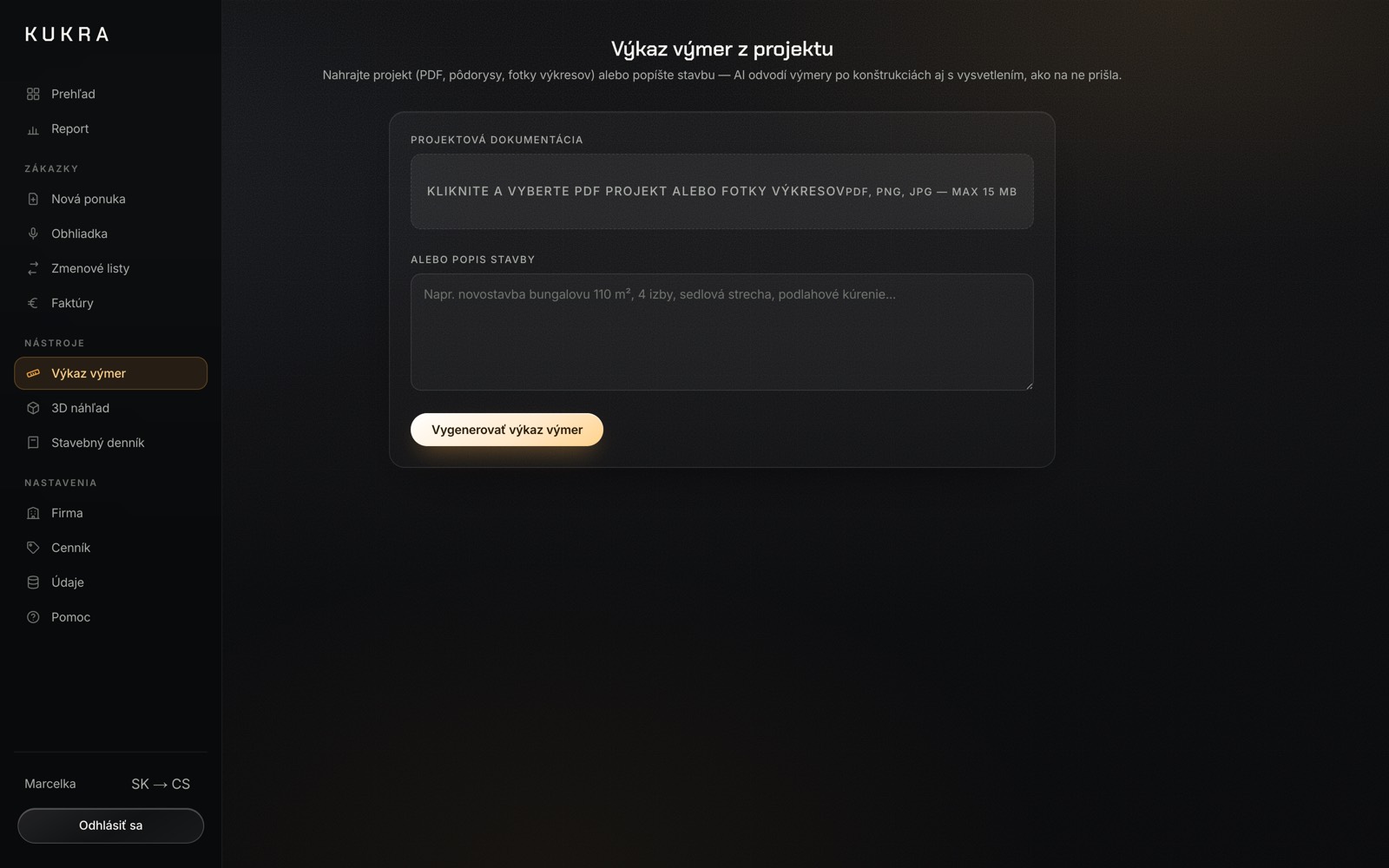
Who we areKUKRA s. r. o. is a Slovak company based in Poprad. Founder Jakub Krasula builds the app together with the construction firms that use it — every feature started as a concrete request from the field. Only documented prices go into the price book; anything estimated is always labelled as an estimate. If something is missing, write to him directly — he answers himself.
Why KUKRA and not Excel
or classic estimating software?
Your price book and margins
stay yours.
Servers in Germany
Hetzner hosts the app and the database in Germany. Your quotes, price books, invoices and site diary stay on a server in the EU.
Your prices don't train AI
Documents and price books go to Anthropic for processing (USA, EU contractual clauses). We never release them for training or to other customers.
Encrypted connection
The site and the app run over HTTPS only. Plain HTTP is permanently redirected and an HSTS header keeps the browser on TLS for a year.
Companies stay separate
Every query for your data is bound to your company ID. Another company's quotes, price books, invoices or diary never appear in your account.
Passwords can't be read
We store only a one-way salted bcrypt hash — not even we can get the password back. Five failed sign-ins block logging in for 15 minutes.
DPA and export anytime
We will sign an Article 28 GDPR data processing agreement on request. Quotes, clients, price book and users download from the app as JSON.
Uploaded drawings and photos are never stored. Data is deleted within 90 days of your subscription ending (accounting records: 10 years, by law). Processors and retention: Privacy Policy.
Start with a free demo — every tool 1× free
Your whole construction business in one app — unlimited
- Unlimited price quotes
- Bill of quantities · estimate from a photo
- 3D model · change orders · site diary · AI buyer
- QR invoices · online client approval · company report
- Slovak · Czech · English
or €500 / year — 2 months free
VAT is added when paying by card. By bank transfer the price is final.
Start with KUKRAFor larger companies and developers
- Everything in KUKRA
- More users / teams
- Integrations and API
- Priority support
No commitment — cancel anytime. Free demo first, no credit card.
What contractors ask us
before they sign up.
01What if the AI prices a job wrongly — who carries that?
02Where is my data stored?
03Do you train AI models on my rates and margins?
04Do I have to retype my price list into your template?
05Does it work on site without an internet connection?
06How many people from the firm can use it?
07Is the €50 inclusive of VAT?
08How long before I can produce my first quote?
09If we cancel, do we lose our quotes?
10Is your site diary legally compliant?
Question not answered here? Write to kukra@kukra.sk or call +421 910 995 747. The full wording is in our terms and conditions and privacy policy.
Let's start.
Leave us an inquiry — we'll prepare a demo on your own project. We'll get back to you within 24 hours.